Muskegon Astronomical Society Observatory
The Muskegon Astronomical Society operates an observatory located in the Muskegon Wastewater system. Our facility includes the William DeVette Astronomy Education Center (a.k.a. the clubhouse), where we meet during the summer. We have our 16'x20' roll off roof observatory, which houses a 12" Dobsonian and a 24" truss-tube telescope. We have a 12' roll off roof observatory, which houses a Celestron CPC 1100. We're currently installing a 6' fiberglass dome and 12" Meade telescope, donated from Hope College. We also share our facility with the Muskegon Community College, which operates a 16" LX-200 Schmidt-Cassegrain Telescope in their 16' Ash dome.
Directions
You can navigate to our observatory with your smart phone by entering as your destination 43.264060, -86.02330 (This is the latitude and longitude of our observatory. Don't forget the minus sign!). For a satellite view of our observatory, see Google Maps.
From Muskegon, drive 9 miles East on Apple Ave. to Maple Island Road. Turn left on Maple Island Road and drive 2.1 miles north. You will find the wastewater entrance just past White Road and the green "Observatory" sign. Turn right at the "Recovery Resource Center" entrance and drive 2.1 miles east into the wastewater complex. Look for a cluster of buildings on your right, one with a bright silver dome.
Open Houses
Open houses are scheduled events hosted by members. All visitors are welcomed. There is no
charge, but donations are greatly appreciated. We will be viewing the night sky with our telescopes.
While waiting for dark at the observatory, we might give a tour or do a
presentation. We’ll try to introduce you to amateur astronomy and have plenty of handouts on how to get started.
If cloudy, open houses are canceled. If weather conditions are questionable,
check [Home Page] to find out the status of the open house.
You can also check our [Webcams]
for observatory activity.
Feel free to bring your own telescope. We’re here to help you get started and make adjustments. Our
viewing pads have electrical outlets.
Come equipped. Flashlights can be helpful for finding your way around in the dark, but should be kept directed toward the ground so as not to interfere with observing activities. Insect repellent and warm clothing (particularly for feet, head and hands) are strongly encouraged during appropriate seasons. While the clubhouse has heat and A/C, the rest of the facility is open to the night air.
FYI: Visitors are also welcomed at our regular monthly meetings at the
observatory. Zoom meeting
invitations available upon request. A business meeting usually last about an hour. After
the meeting, if it's clear
and dark, we'll try to do some viewing.
If you wish to visit our facility at another date and time, wish to bring a group to an open house or wish to schedule a special open house, please contact us via
before the next regular meeting so we can schedule the manpower needed.
Panorama Images for Planetarium software
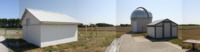
Click here for a TheSky v6 horizontal image file of our facility, circa September 2019, as seen from the upper pad. For a description of this zip file and how to install it, click here.
Click here for a Stellarium horizontal image file of our facility, circa September 2019, as seen from the upper pad. For a description of this zip file and how to install it, click here.
Site Improvement Project
The Muskegon Astronomical Society has been renovating and steadily improving our facility. Couple years ago we dry-walled and re-shingled the clubhouse. Then we rebuilt the big roll-off roof observatory. We converted the original club dome into a new roll-off roof observatory. We purchased a new utility shed. A year later we added three new telescope piers. Now we plan to add another viewing pad and more sidewalk. All this from dedicated members who have donated time, cash and material. If you wish to help in our efforts to improve the facility, you can join our organization by clicking here or make a donation by clicking here.
If you have any questions, contact the
[Return to Top]
[Go to Home Page]
Copyright © 2005 Muskegon Astronomical Society, Inc.
This web page was last updated 03/07/26